← Cyber Security Awareness Fit Get the app
Cyber Security Awareness Fit app icon
Cyber Security Awareness FitEducation · iPhone & iPad · Free

Get fit in security. Two minutes at a time.

Fraud rarely starts with technology. It starts with a message that looks real, and with the one minute in which nobody thinks twice. This app trains exactly that minute — phishing, fake invoices, support calls — without an account and without a server.

Download on the App Store Requires iOS 18 or later
The first course is free, exam included
16courses, 87 topics
397lessons, ~2 min each
284exam questions
0network requests
Cyber Security Awareness Fit on iPhone — your learning path

A look inside the app

Shown in English with US examples — the app also speaks German, French and Italian, and swaps the brands, domains and emergency numbers for your region.
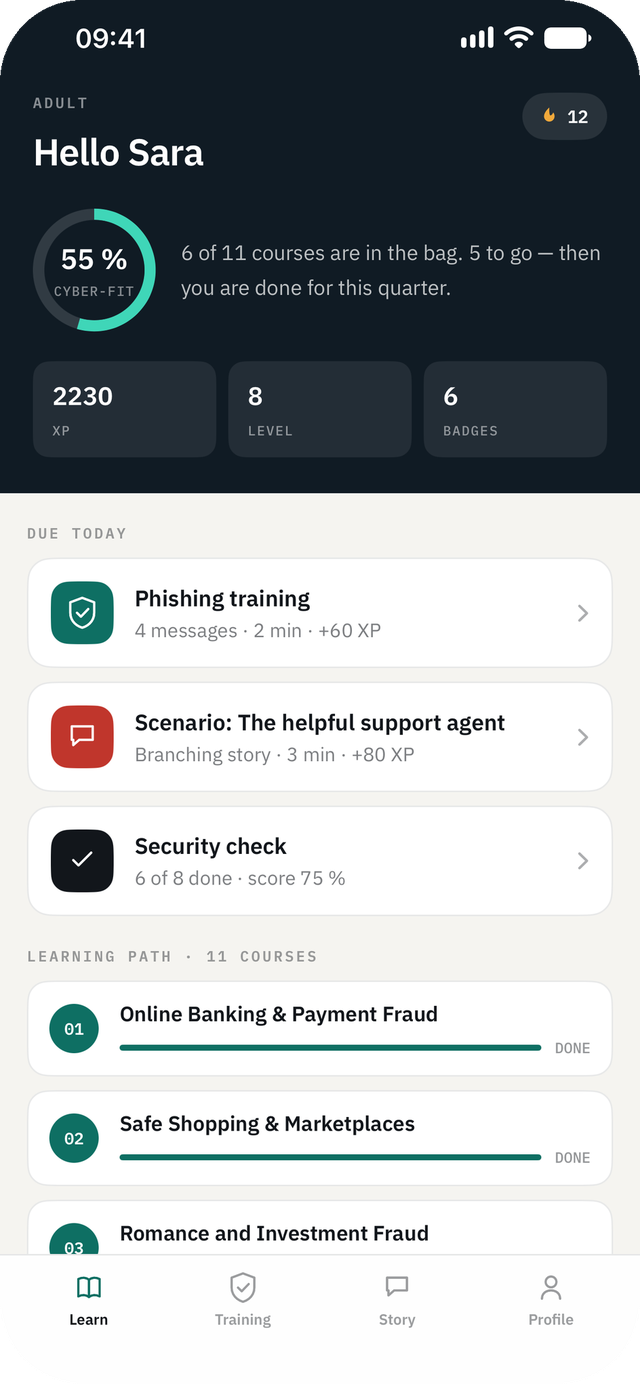
Cyber Security Awareness Fit on iPhone — Learning path: Your courses in order, tailored to the age group you chose.
Learning pathYour courses in order, tailored to the age group you chose.
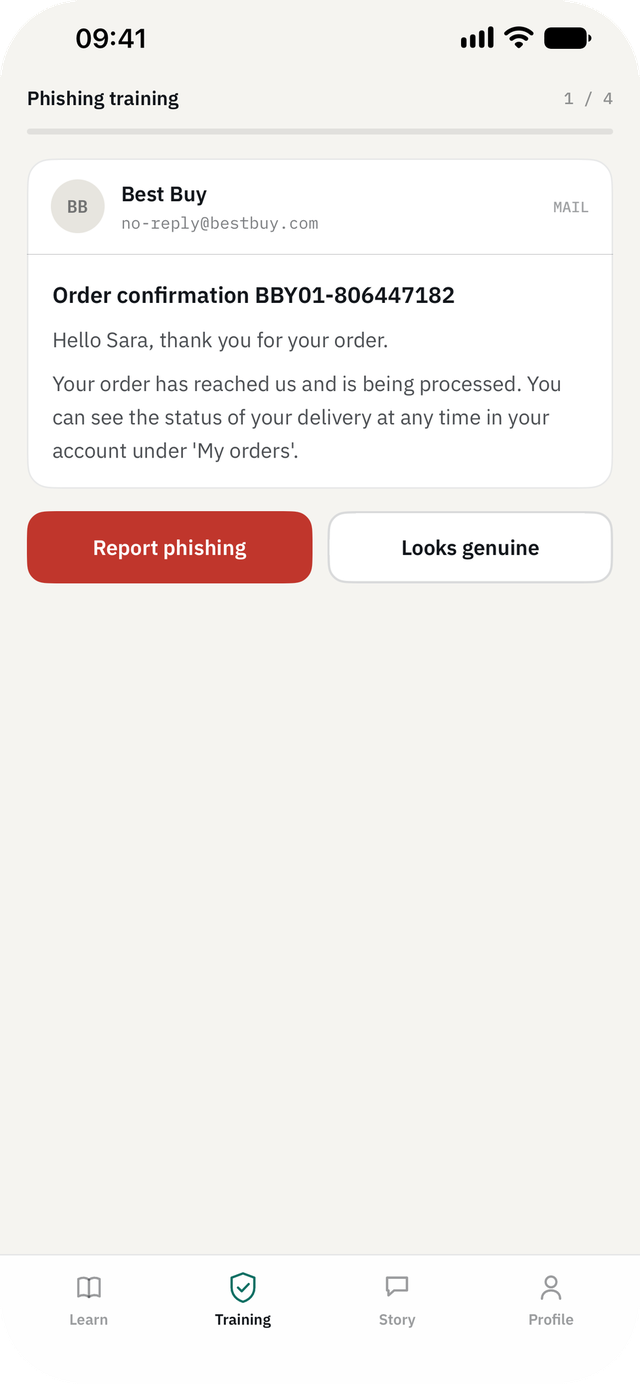
Cyber Security Awareness Fit on iPhone — Phishing training: Report it or trust it — four messages, two minutes.
Phishing trainingReport it or trust it — four messages, two minutes.
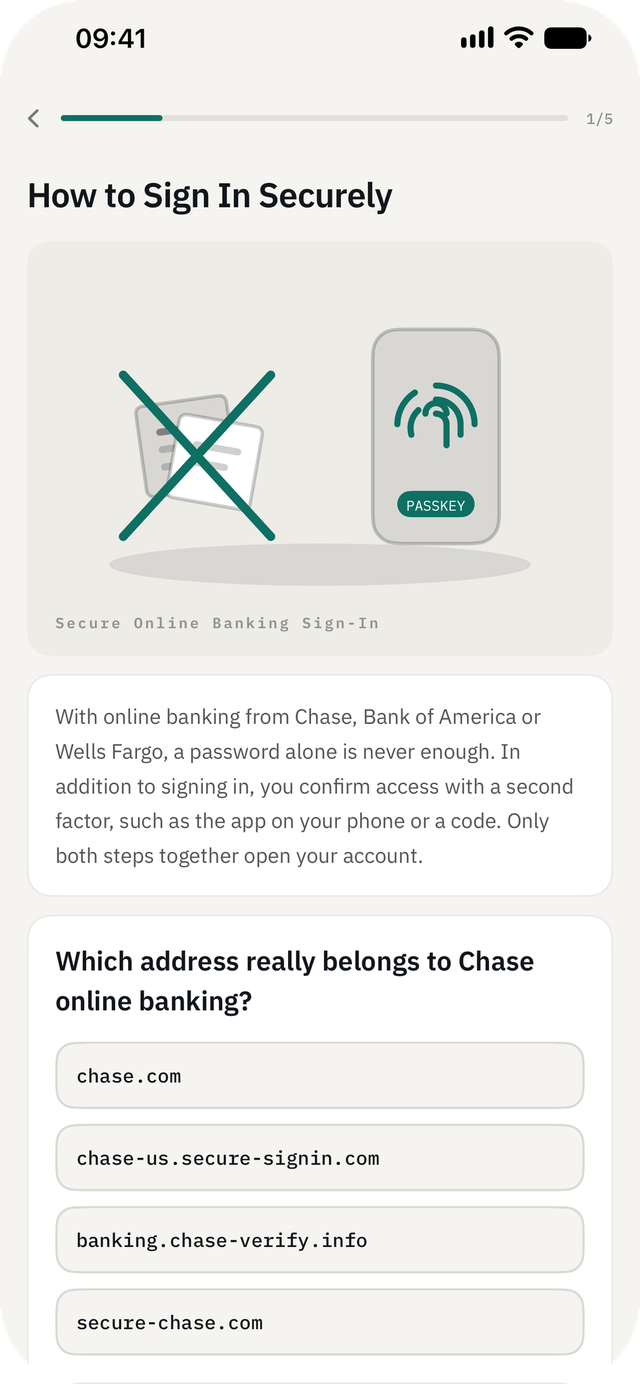
Cyber Security Awareness Fit on iPhone — Lesson: Read it, then put it to use: every lesson ends with an exercise.
LessonRead it, then put it to use: every lesson ends with an exercise.
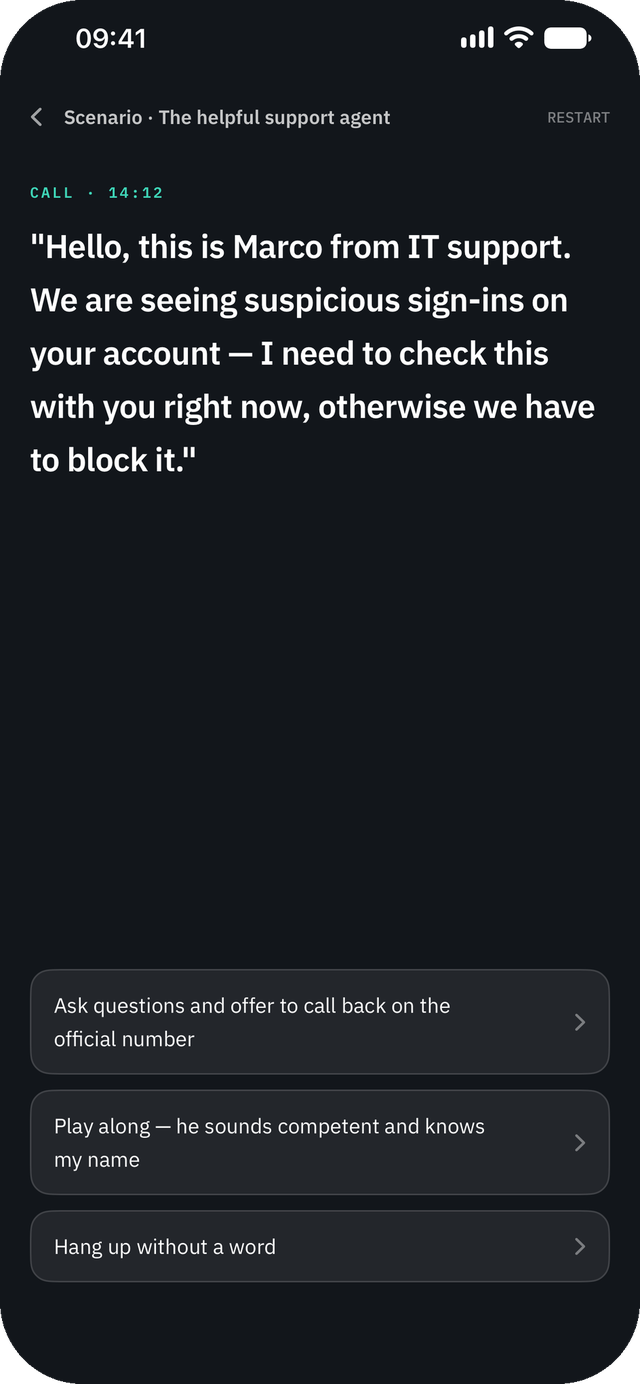
Cyber Security Awareness Fit on iPhone — Scenario: The call that sounds like support — branching, with consequences.
ScenarioThe call that sounds like support — branching, with consequences.
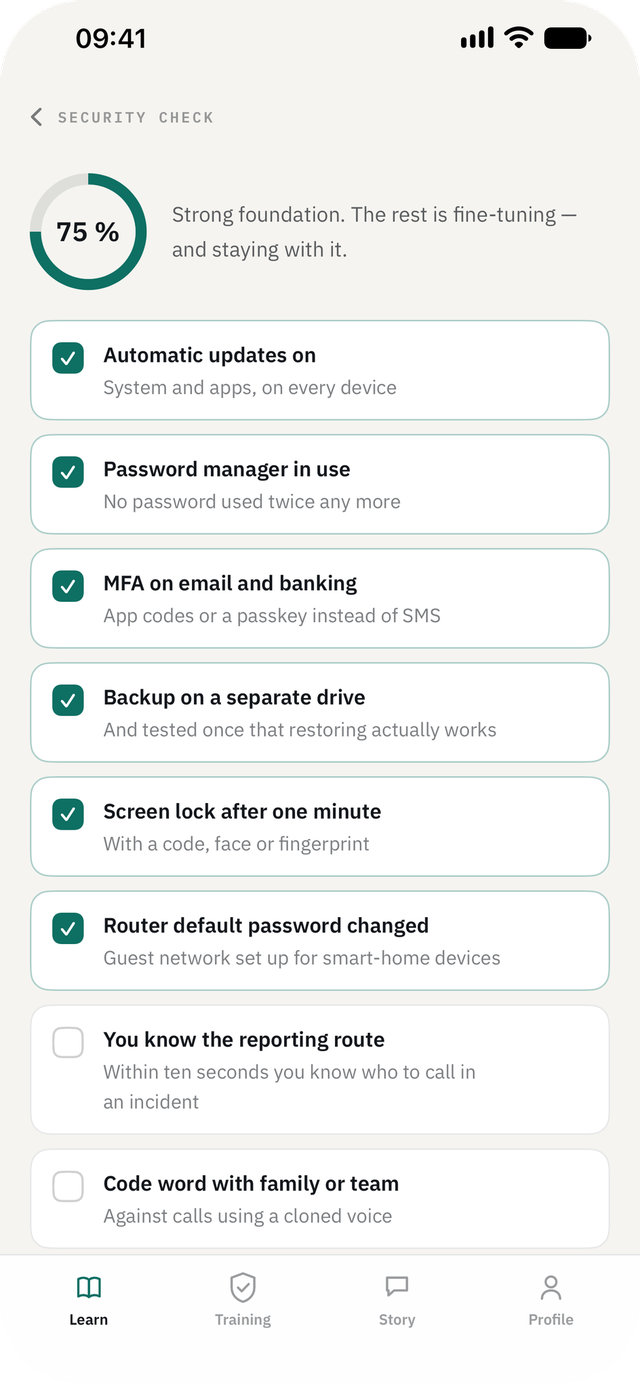
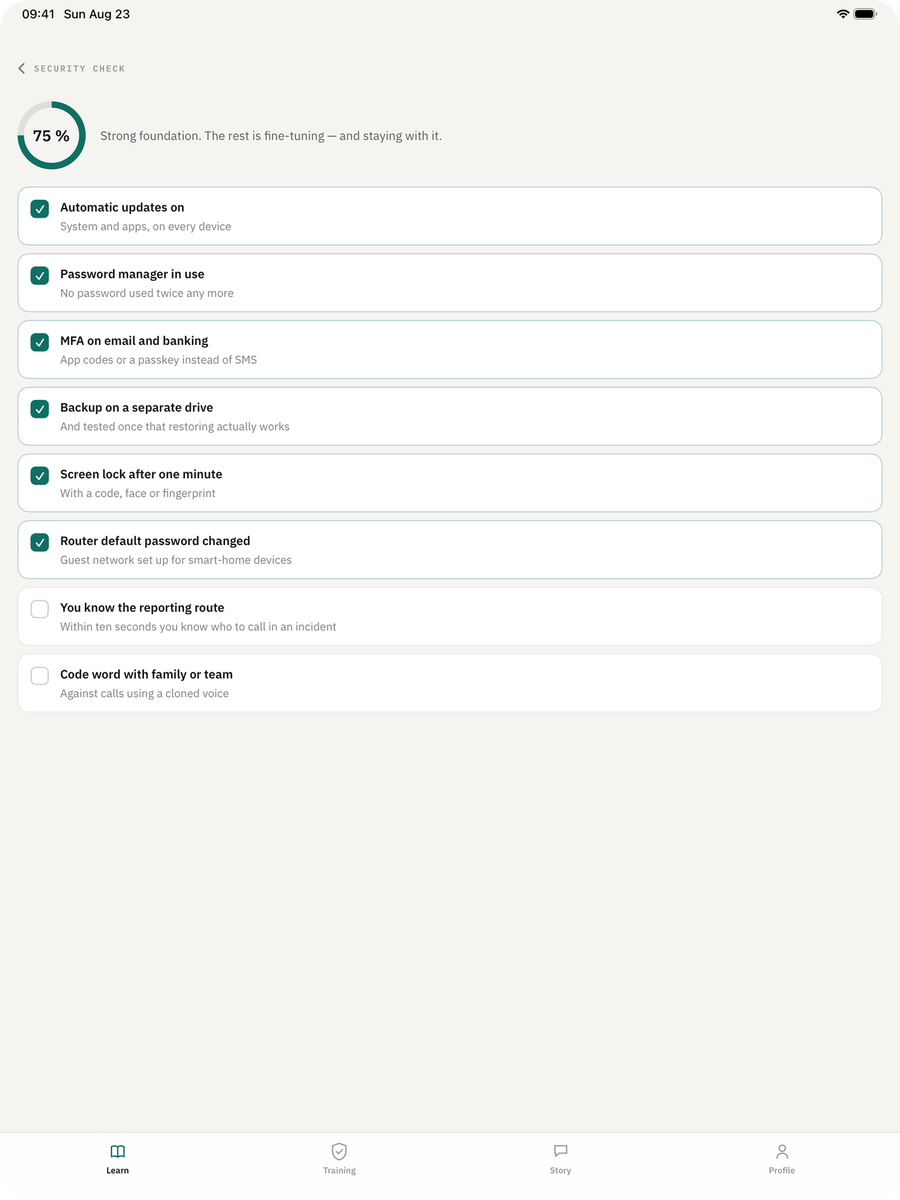
Cyber Security Awareness Fit on iPhone — Security check: Eight points that actually matter, and what is still missing.
Security checkEight points that actually matter, and what is still missing.
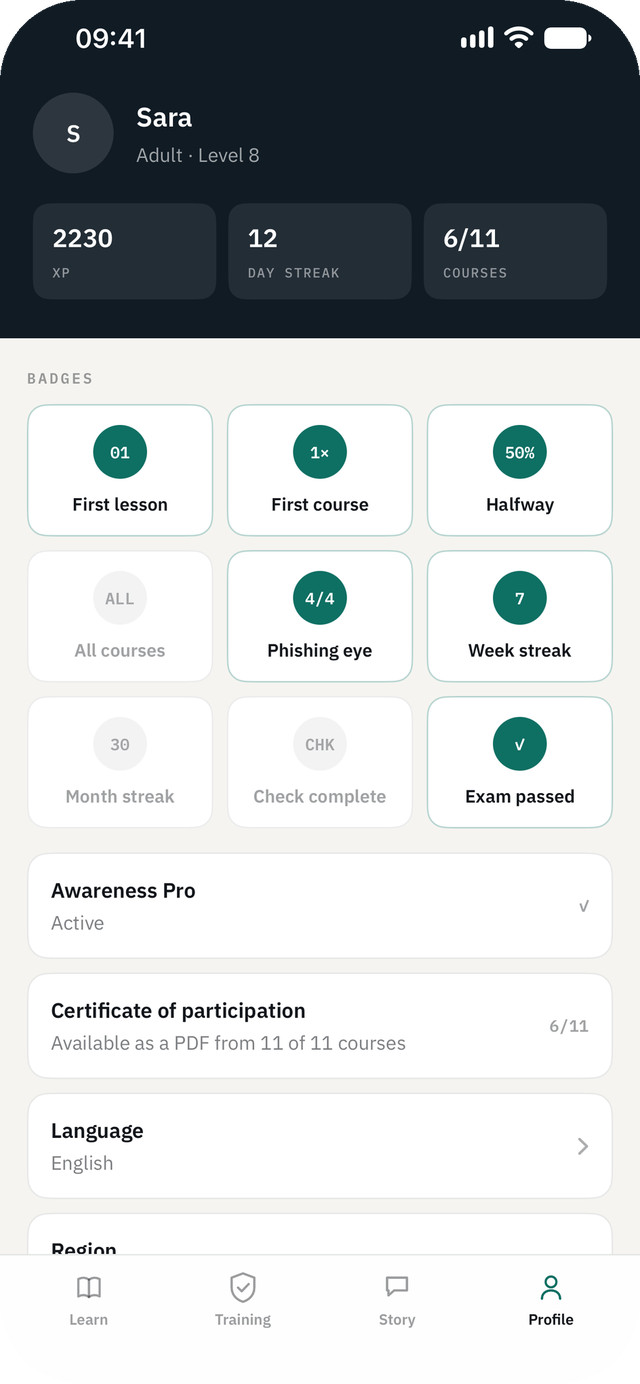
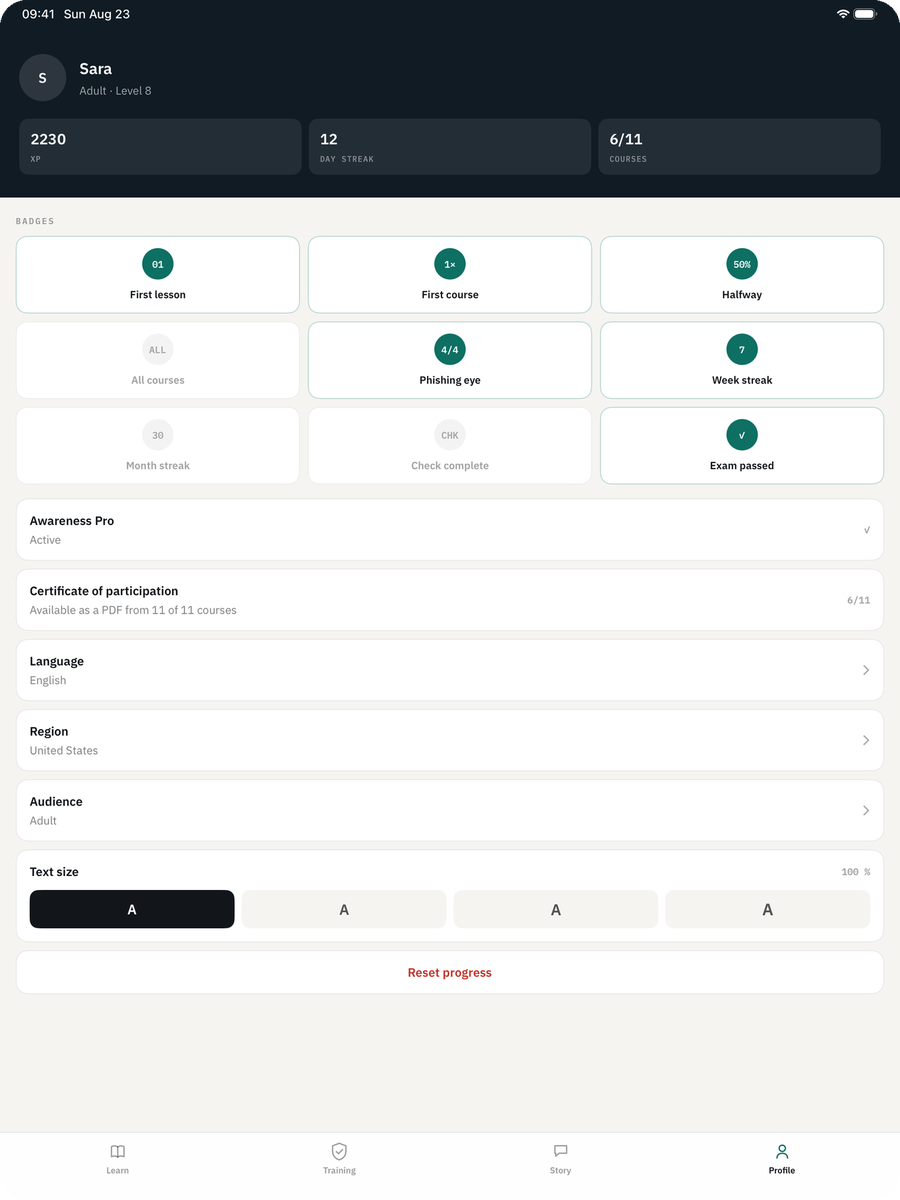
Cyber Security Awareness Fit on iPhone — Profile: Your progress stays with you. No account, no server, no tracking.
ProfileYour progress stays with you. No account, no server, no tracking.
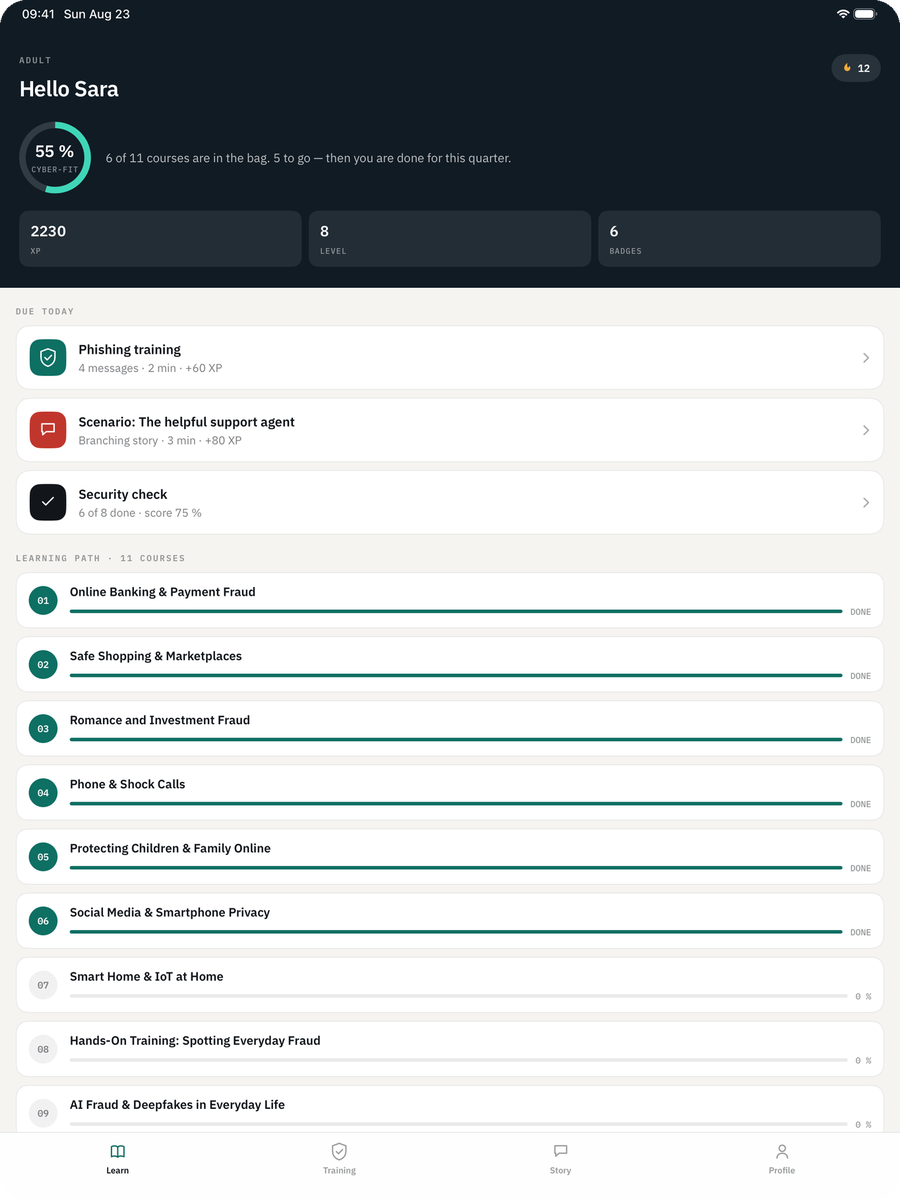
Cyber Security Awareness Fit on iPad — Learning path: Your courses in order, tailored to the age group you chose.
Learning pathYour courses in order, tailored to the age group you chose.
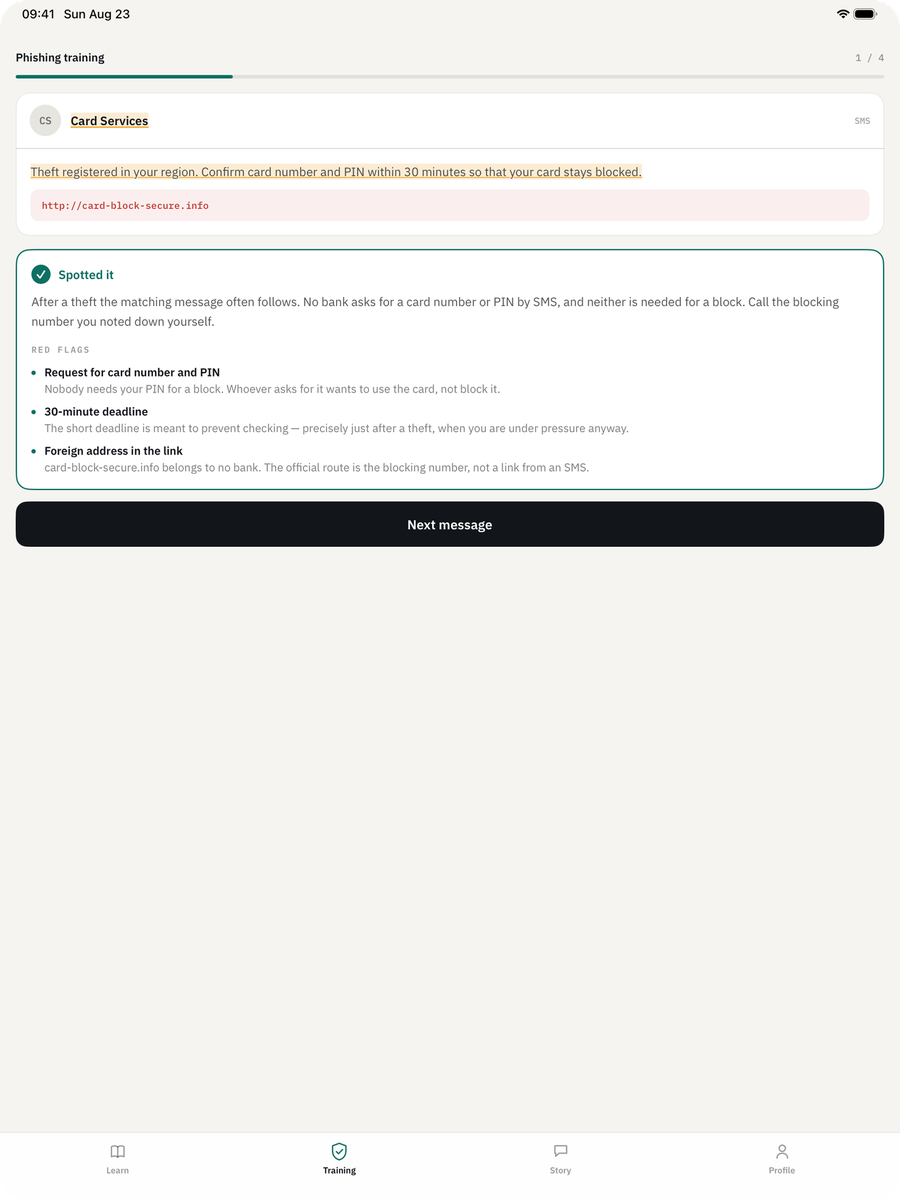
Cyber Security Awareness Fit on iPad — Phishing training: After your answer the app marks the red flags in the text.
Phishing trainingAfter your answer the app marks the red flags in the text.
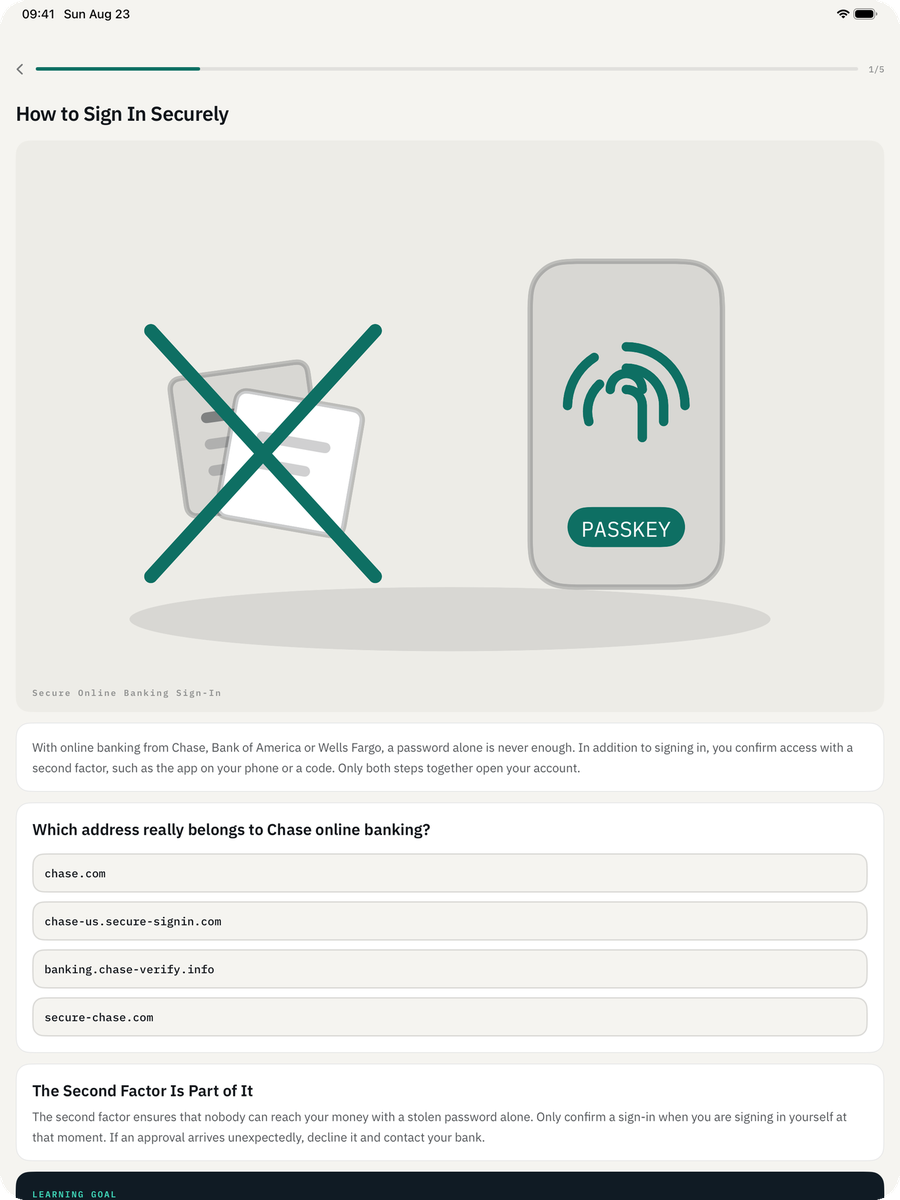
Cyber Security Awareness Fit on iPad — Lesson: Read it, then put it to use: every lesson ends with an exercise.
LessonRead it, then put it to use: every lesson ends with an exercise.
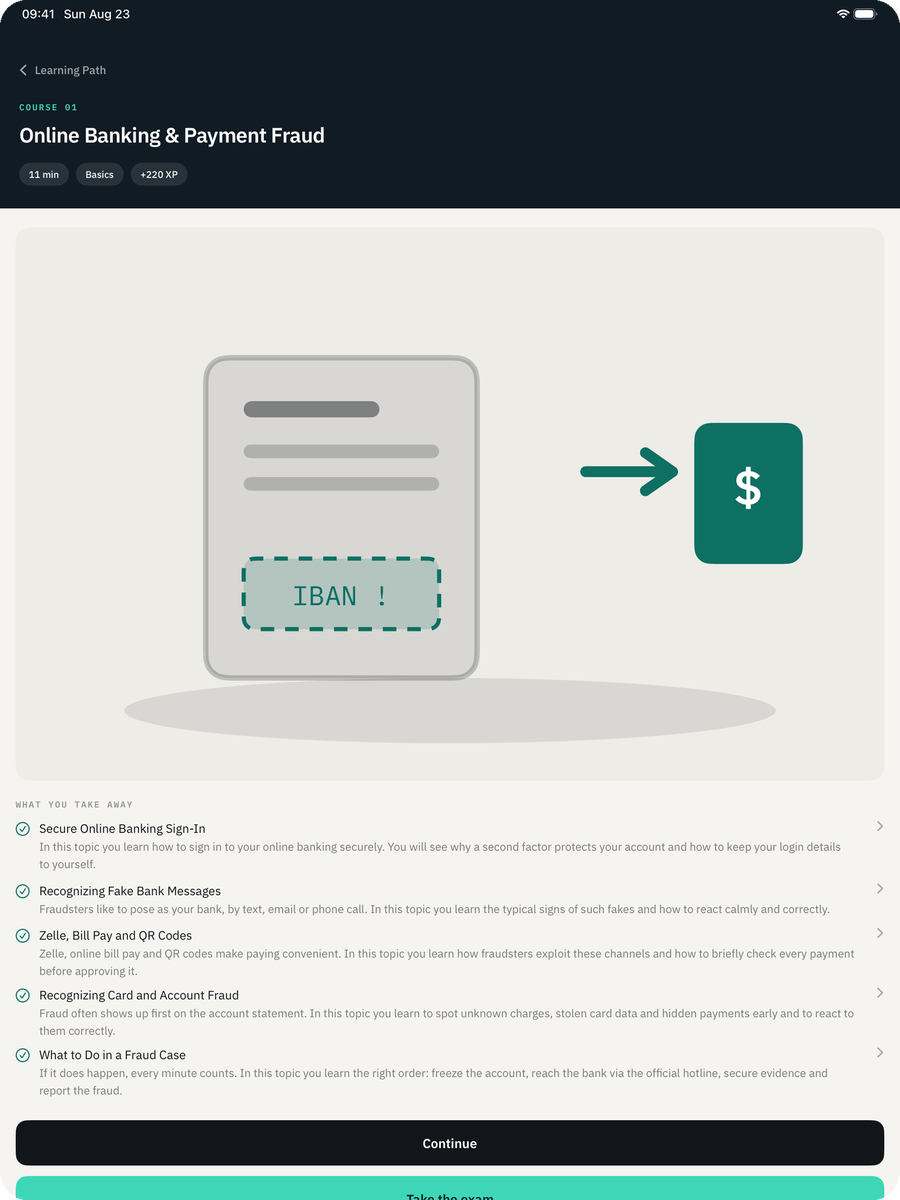
Cyber Security Awareness Fit on iPad — Course: Every course ends with an exam — five topics, about eleven minutes.
CourseEvery course ends with an exam — five topics, about eleven minutes.
Cyber Security Awareness Fit on iPad — Security check: Eight points that actually matter, and what is still missing.
Security checkEight points that actually matter, and what is still missing.
Cyber Security Awareness Fit on iPad — Profile: Your progress stays with you. No account, no server, no tracking.
ProfileYour progress stays with you. No account, no server, no tracking.

Reading about it is not the same as recognising it

Every lesson is a short text, an example, and then the thing itself: which address really belongs to the bank, which message is phishing, what to do once the money is already gone.

You choose who is learning

Child, teenager, young adult, adult, best ager or senior. The choice decides which courses, examples and forms of address you get — gaming and chats for some, grandparent scams and phone fraud for others.

Phishing training

Four messages, two minutes: report or trust. After every answer the app marks the warning signs in the text — the unfamiliar sender domain, the two-hour deadline, the payment route that bypasses the platform.

Branched scenarios

A call from «IT support» reporting suspicious logins. You decide how it continues — and you see what your decision sets in motion.

Security check

Eight points that actually matter day to day: automatic updates, a password manager, MFA on mail and banking, backup, screen lock, router, the reporting path — and a code word against calls with a cloned voice.

Examples from where you live

Brands, domains, emergency numbers and reporting offices change with your region — PostFinance, TWINT, QR-bill and 117 in Switzerland, the local equivalents elsewhere.

No account, no server

The entire course catalogue sits inside the app. No login, no cloud, no ads, no tracking. Your progress stays on the device. In airplane mode everything works exactly the same.

Phishing training · what it looks like

«Your account will be closed in two hours.»

Report or trust? After you answer, the app does not just say right or wrong — it shows you what gave the message away.

P
PostFinance Securityservice@postfinance-sicherheit.info

Unusual activity on your account

Dear customer, unusual activity was detected on your account. Confirm your details within 2 hours, otherwise your access will be blocked permanently.

What gave it away

  • The sender domain is not the bank’s. Everything before the last dot can be freely chosen — only postfinance-sicherheit.info is the real domain here, and it belongs to whoever registered it.
  • Time pressure is the method, not a coincidence. Two hours exist so that you act instead of checking.
  • No bank asks you to confirm details through a link in a message. The way back is always the app or the address you type yourself.
  • «Dear customer» — the sender does not know your name, because the message went to thousands of addresses at once.
  • And if you already clicked: change the password, call the bank on the number from your card, report it. The lesson says in which order.

Your language, and your country

Language decides the interface. Region decides the brands, domains, emergency numbers and reporting offices inside the lessons — because «German» says nothing about whether the police number is 117, 110 or 133.

DeutschCH · DE · AT
FrançaisCH · FR
ItalianoCH · IT
EnglishUS

Work through the first course. Then decide.

The free version is a real course, not a preview: the first course in full, exam included — and a round of phishing training every day.

Free

USD 0

The first course, permanently.

  • First course in full, with its exam
  • One round of phishing training a day
  • Scenario, security check and profile

Awareness Pro · monthly or once

USD 4.99

Per month — or USD 199.00 once, without a subscription.

  • Same scope as yearly
  • Cancel any time
  • The one-time purchase never renews

Free to download. Prices in US dollars as listed on the App Store; you pay in your own currency. Subscriptions renew until cancelled in the App Store account settings; the one-time purchase never renews.

Your progress is yours. It never leaves the device.

No data is collected. That is not an interpretation but a property of the build: the app makes no network requests at all. Your progress is a file on your device.

Works the same in airplane mode
App privacy · data not collected
  • No account, no login
  • No network requests at all
  • No analytics, telemetry or crash reporting
  • No ads, no tracking

Awareness, not a certification.The app issues its own certificate of participation once all courses of the selected audience are complete. It documents what you worked through — it is not an accredited certification and no examination body stands behind it.

The examples are regional.Emergency numbers, reporting offices and youth counselling services are kept per country. If something is out of date where you live, write to us — that is worth more than a generic example.

Start your first course today

Free to download. No account needed — the first course is yours in full, exam included.

Download on the App Store

Support

Questions, bug reports, wrong wording?

Write to us — in German or English. We answer within two working days.

info@treeinspired.com treeinspired GmbH · Switzerland · Imprint · Privacy · Terms